TEMPEST
Tempest is a human computer interface that enables a person to use their entire body to interact with an invisible and immaterial object to produce and control the nature, position and movement of sound.
Tempest video 1 of 2
Tempest demonstration for the ICST residency program 2027.
In a real world space, (a studio), a virtual reality and motion tracking system (HTC Vive) is used to establish in real time a scaled, parallel, virtual space which corresponds to the studio and track locations (real points) on a person’s body returning position and rotation of the real points as virtual points in the virtual space. Tracker devices are worn by the person attached at points on their body.
real world space
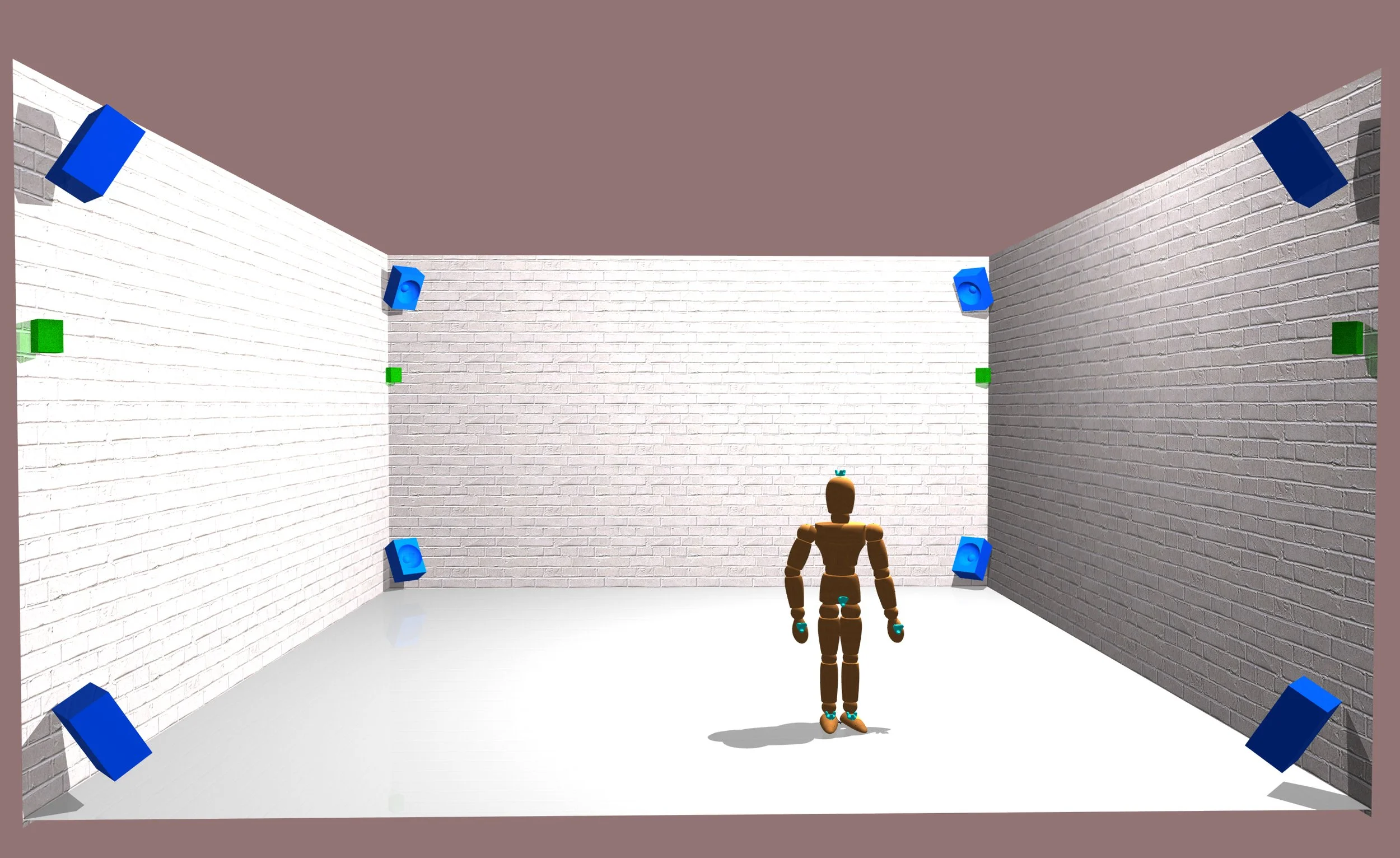
The above rendering depicts a real person as a wooden mannequin in a real world space. The space is equipped with 8 speakers (blue boxes) and an HTC VIVE virtual reality system comprising 4 lighthouse scanners (green boxes in the corners) and body point trackers (turquoise triangles on the person’s hands, feet, head and torso).
Tracking body points
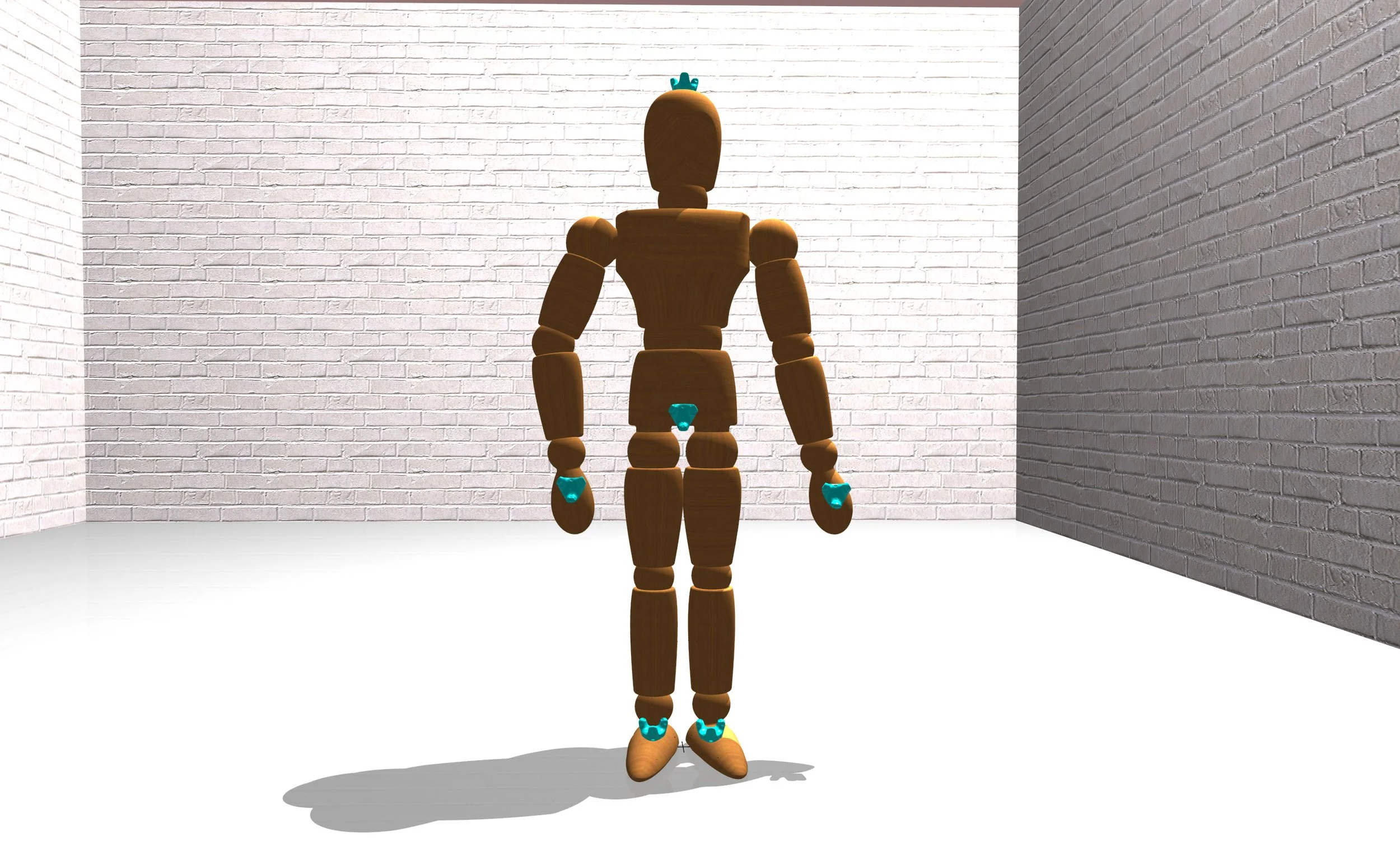
The user is outfitted with trackers at approximate points on their body to be tracked. In this case, the trackers on the tops of both feet and both hands, on the top of the head and the front of the mid torso.
Offsetting the actively tracked point
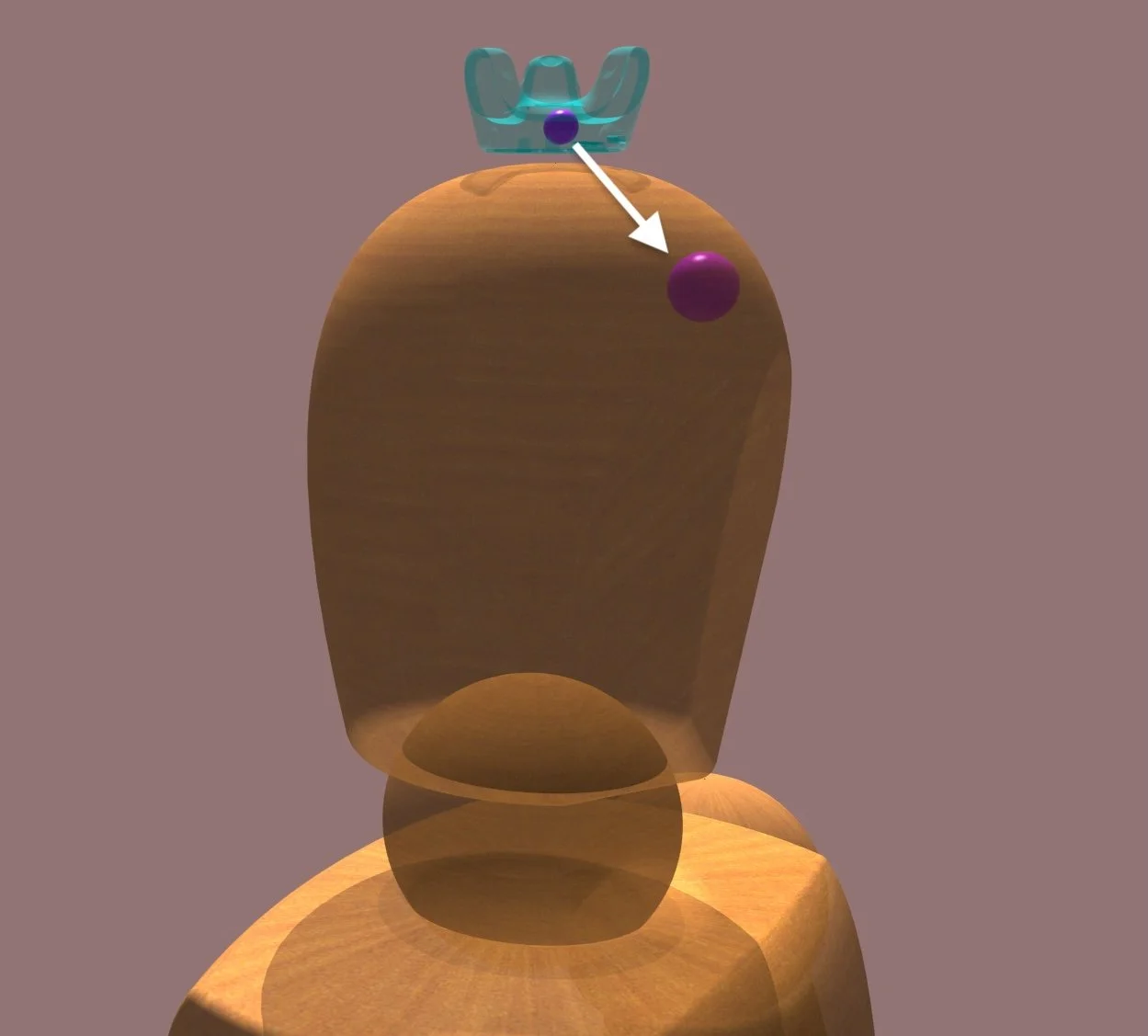
The tracker has a native origin (small pink ball inside of the tracker) which may be offset to a desired location, in this case behind the center of the forehead. This offset point is the point which is used to interact with the sphere, the “active point”. These points may be placed at any location relative to the tracker, and therefore the body.
VIVE tracker 3.0
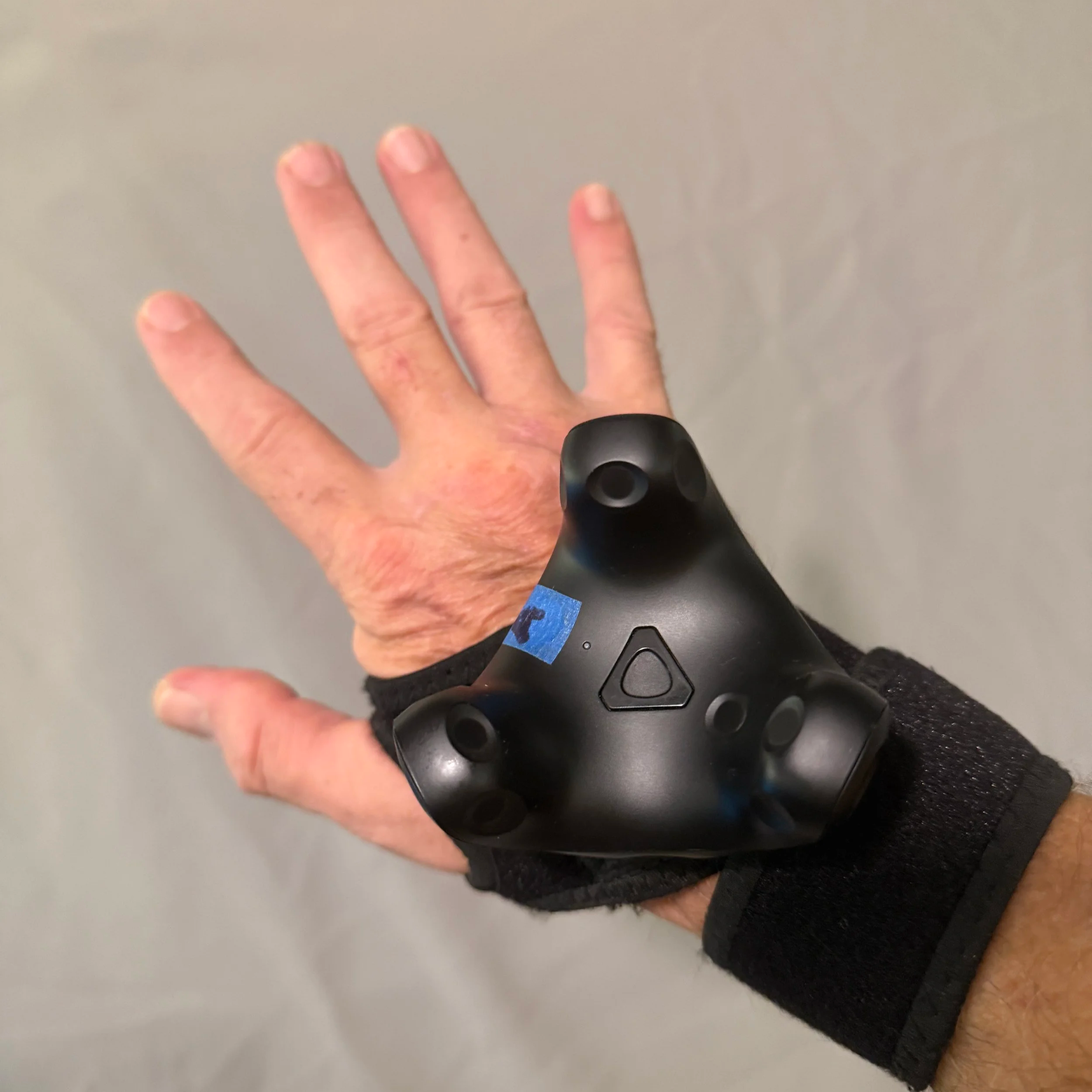
A VIVE 3.0 tracker aligned and fastened.
Virtual Space
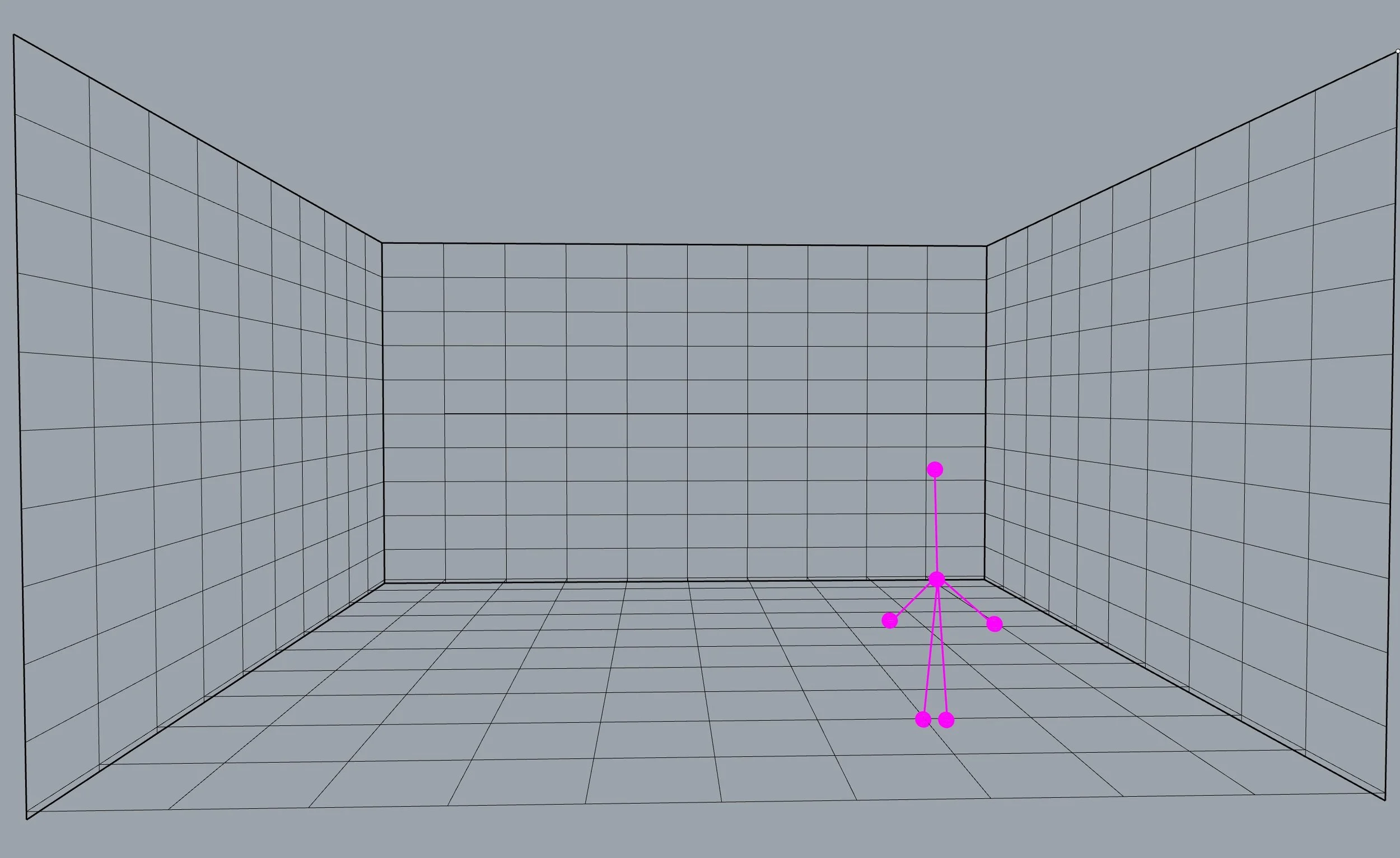
A sketch of a parallel, real time virtual space which corresponds to the real world space. This virtual space is constructed using the HTC VIVE VR system and software packages SteamVR and Touchdesigner. For convenience, the user’s active points are connected by lines to represent the user’s virtual Doppelgaenger.
Tempest video 1 of 2
Tempest demonstration for the Guthman Musical Instrument Competition.
the virtual object
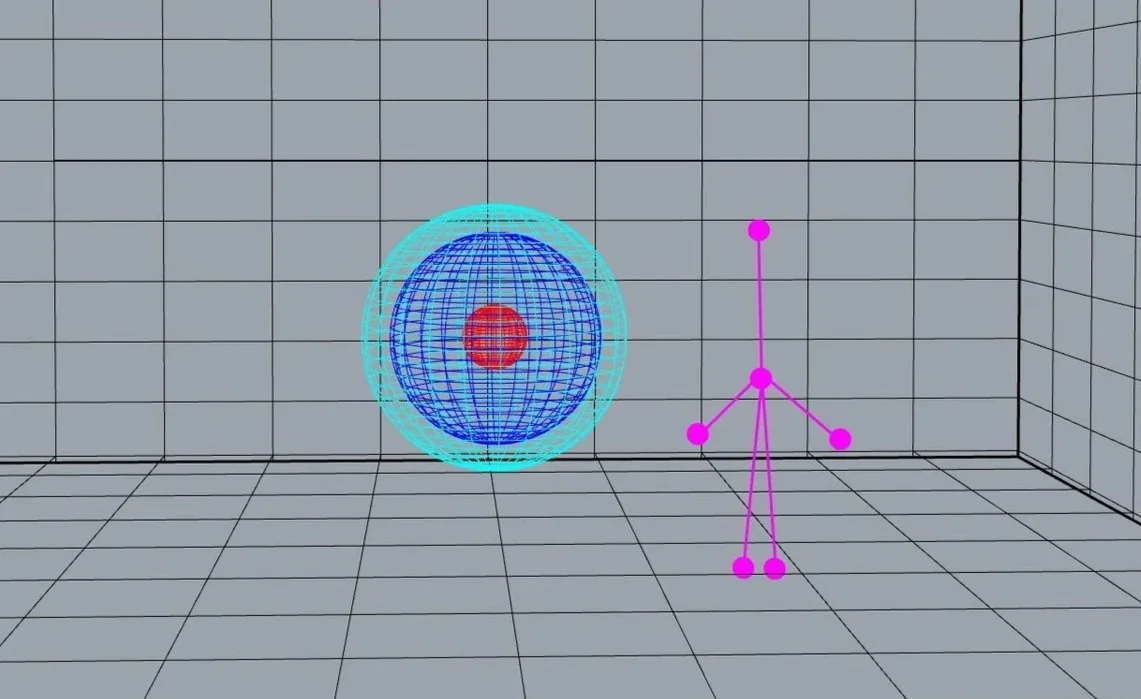
A virtual object, a three layered sphere, is placed in the virtual space.
The position, orientation and movement of each of the user’s active points is recalibrated from the global, Cartesian coordinate system to a polar coordinate system whose origin is the sphere’s center.
recalibrating position and rotation
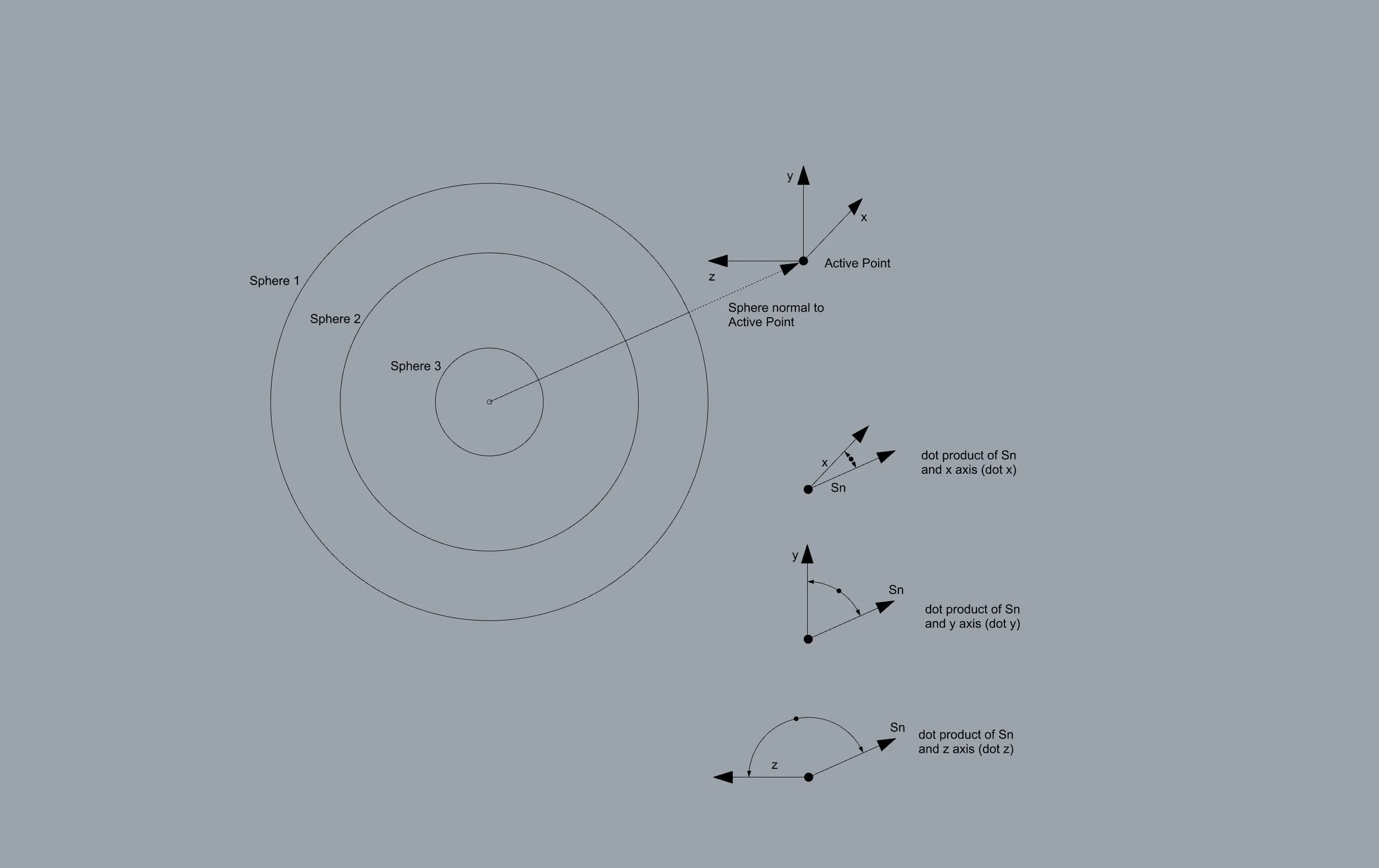
Active tracker point position parameters (x, y, z) are converted to a polar coordinate system (a, e, d) with the center of the Sphere as the center of the coordinate system. Global active tracker point rotation parameters (rx, ry, rz) are converted to the dot product of each axis referencing the center of the Sphere (dotx, doty, dotz).
Tracker as seen in VR
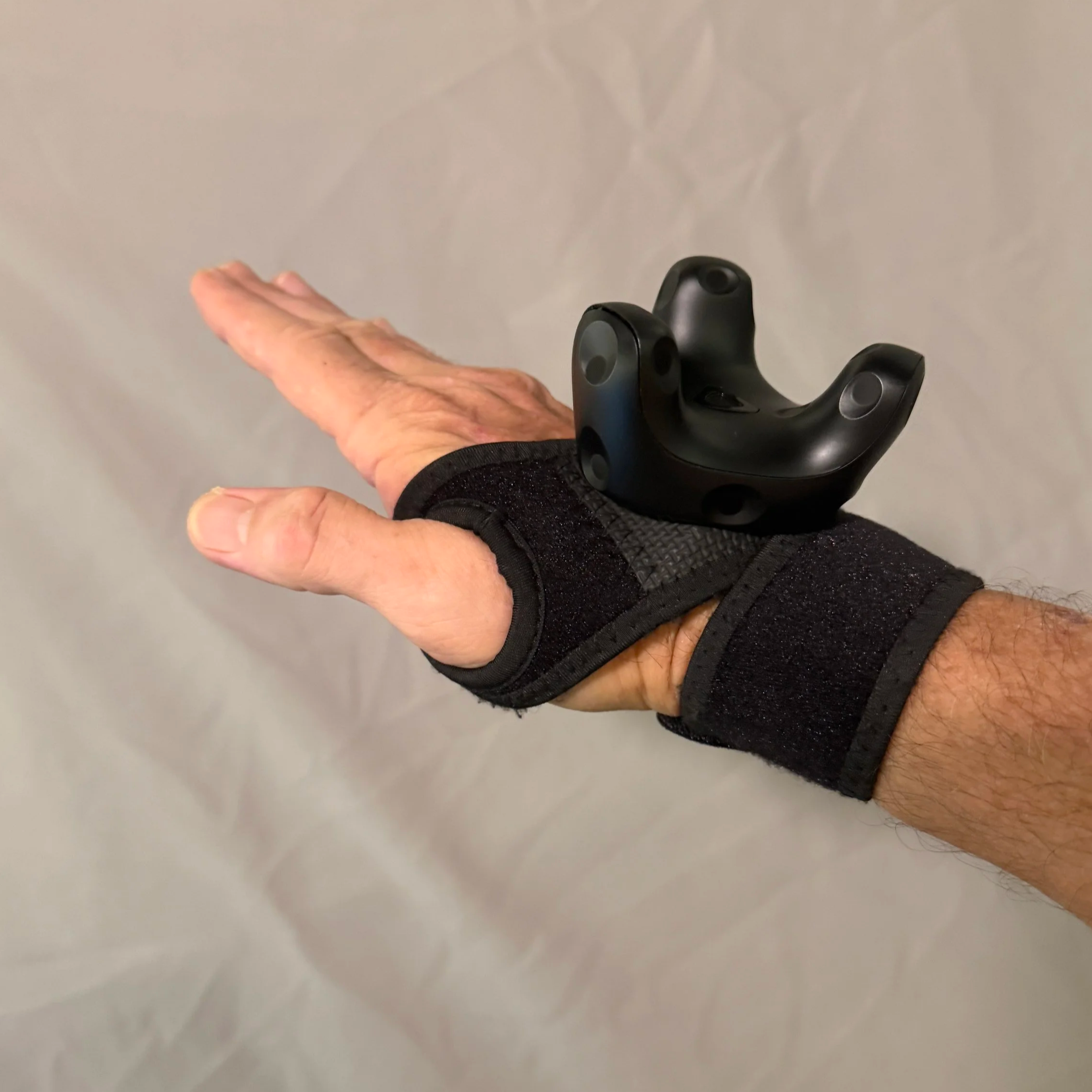
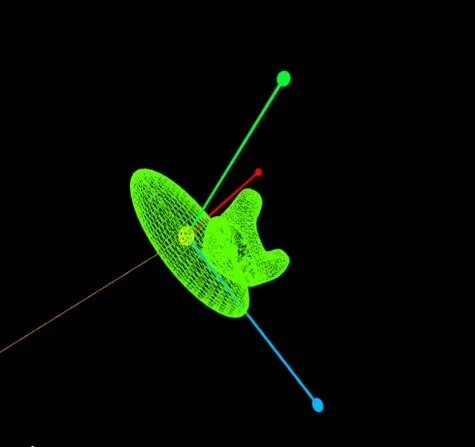
The real VIVE tracker on the left and the VR headset view of the a virtual wireframe rendering of the tracker. The wireframe ovoid represents the hand and the active point is the center of the yellow sphere located at the center of gravity of the hand. These active point positions may be offset as needed for other placement in or on the body.
As a person moves, their body’s corresponding virtual points collide with and move through the virtual object. Parameters are derived from this interaction and are output to control audio content controlled by a sampling synthesizer and/or granular synthesizer in MAXmsp and audio location and movement in the ICST Ambisonics package in MAXmsp.
Virtual object with tracker
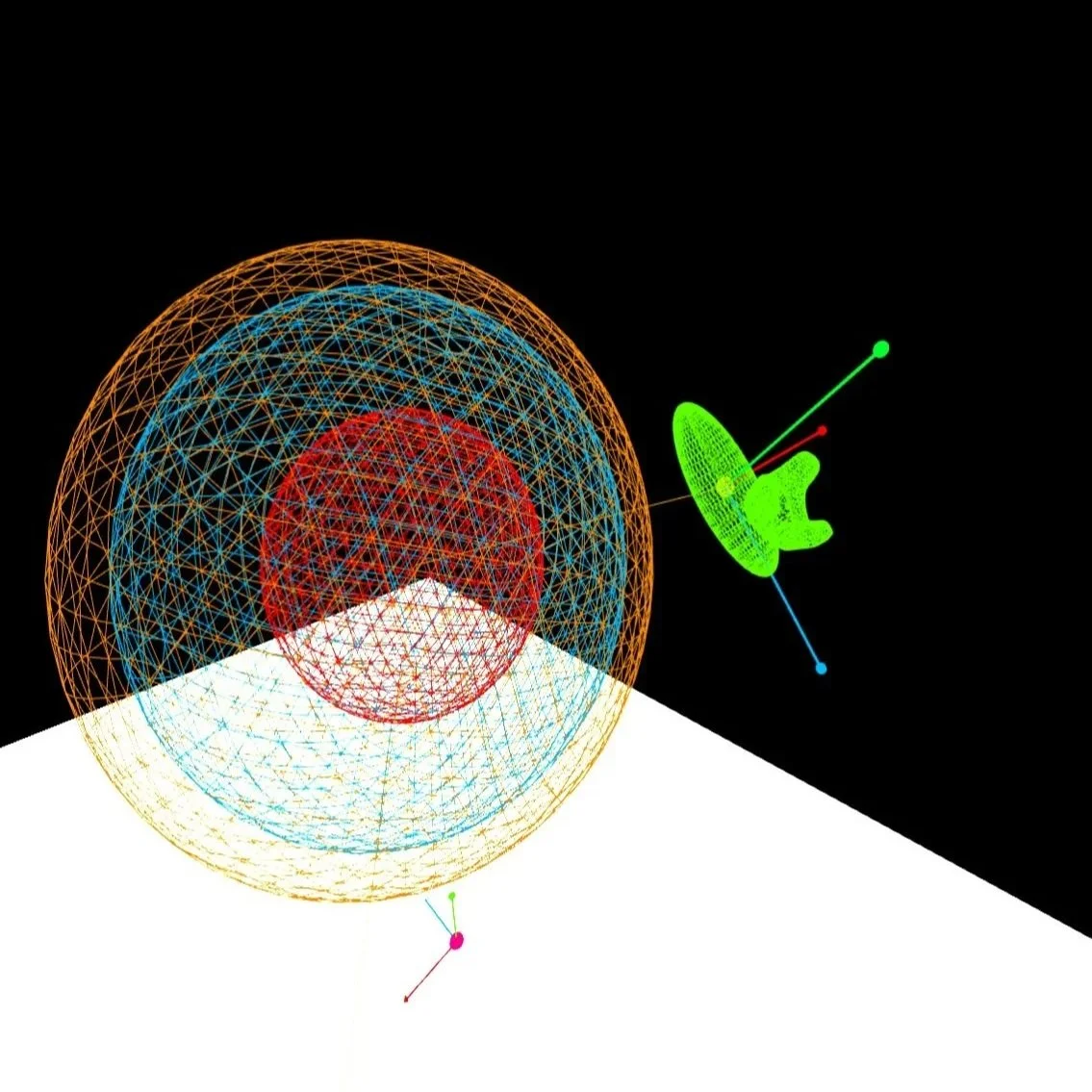
A view from the VR headset shows the tracker, the right hand ovoid and the 3 concentric spheres.
On the floor directly underneath the spheres is the origin of the virtual space.
Each of the sphere’s diameter may be separately scaled from 0” to the size of the scanned area, is this case 15’.
surface events and rotation relative to the sphere
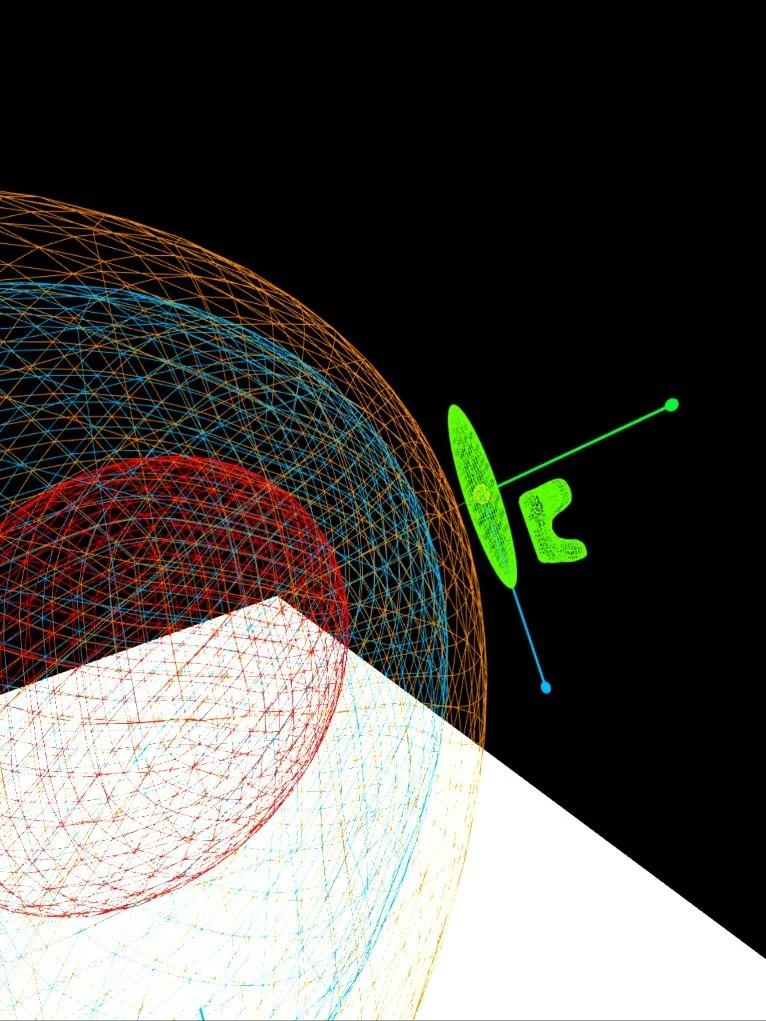
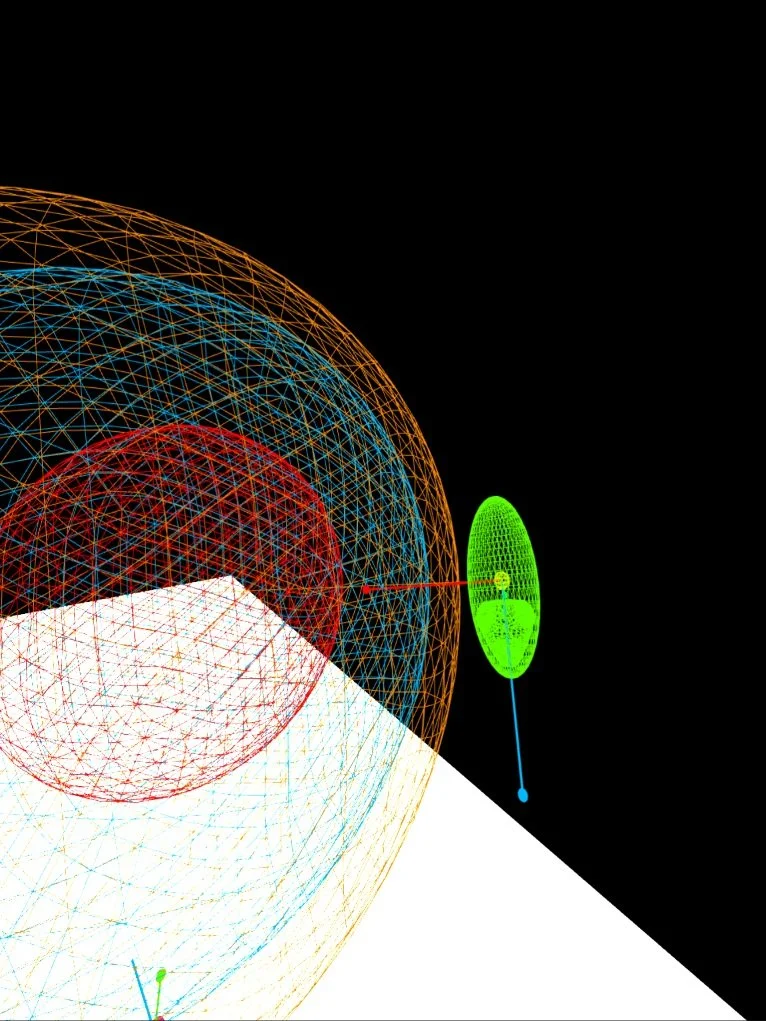
When the active point crosses a sphere’s surface boundary it produces a trigger, one trigger for a breach of the surface from the outside towards the inside (oi) and one trigger for the inside to the outside (io). Three spheres provides for a total of 6 surface triggers per tracker.
In the VR headset view in the above left picture, the right hand is oriented with its palm facing the center of the sphere, as if the user is “slapping” it. On the right, the hand is seen rotated 90 degrees to the surface of the sphere as if the user is karate chopping it. This change in rotation can be used to control audio parameters. An analogue for this effect might be the change in tone and timbre of a drum when hit with different areas of the hand.
Creating active and inactive zones for each instrument
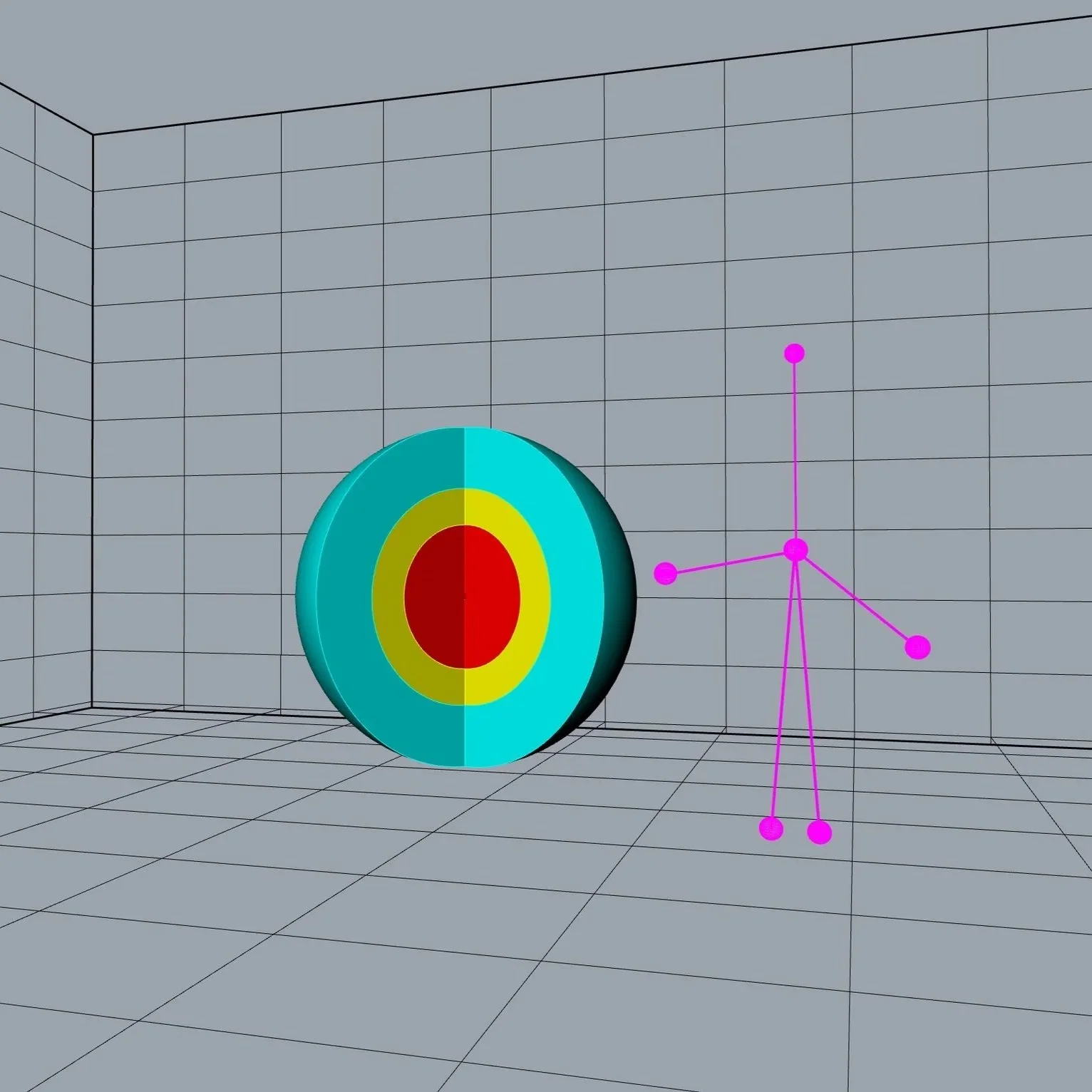
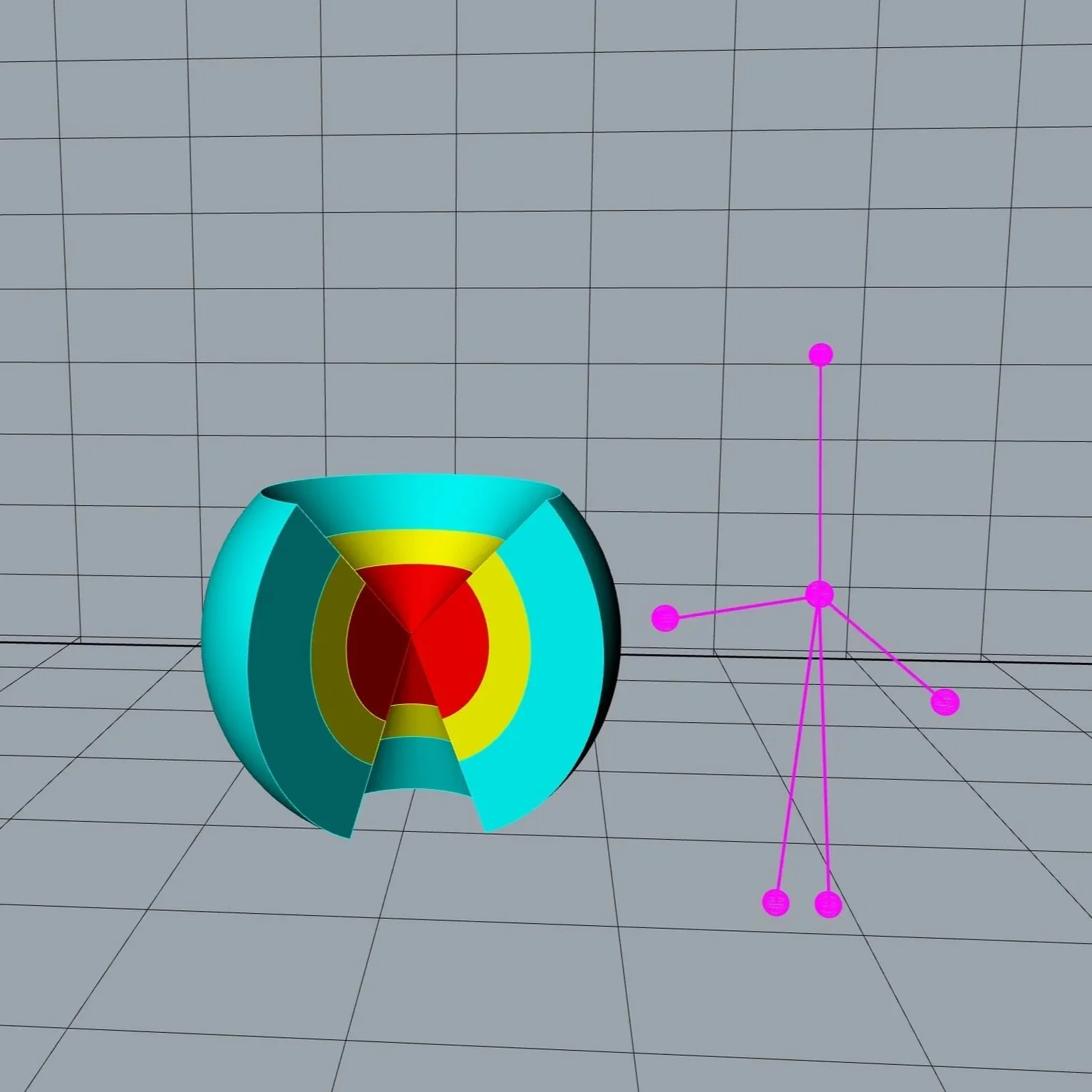
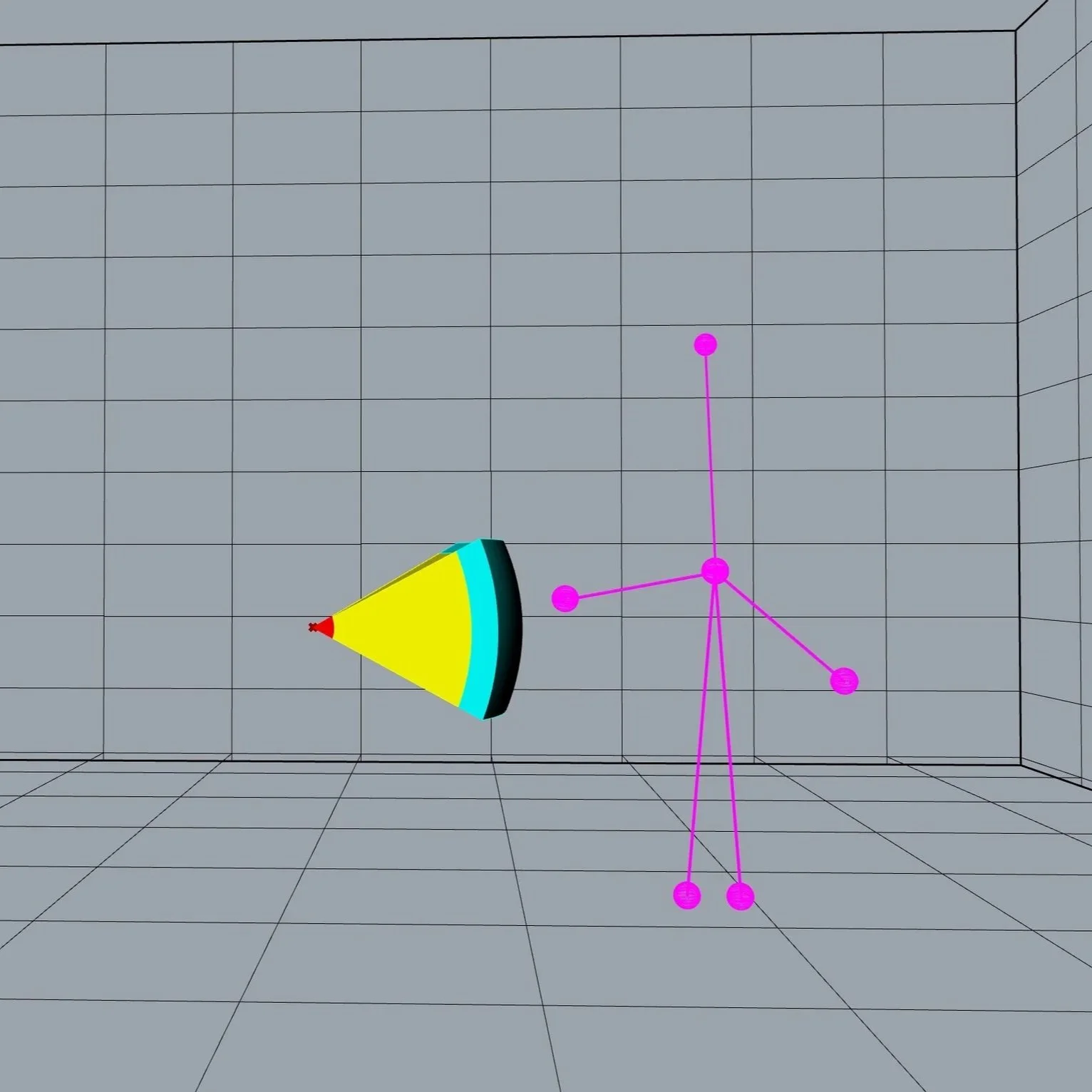
The above renderings illustrate the volumes of the spheres in between the surfaces and how they may be limited and “carved” away.
The spheres on the left have been limited in the azimuthal dimension, creating a live zone (the color-filled areas) and a dead zone (the open space).
The spheres in the middle have been limited further in the elevation (polar) dimension. Here the north and south polar regions have been fully removed as well as the azimuthal section. These inactive polar regions may be filled with another zone corresponding to another instrument.
The spheres on the right have been limited to where only a small section of the spheres are active.
Geometric tracker parameters via the tracker in audio out mapping module
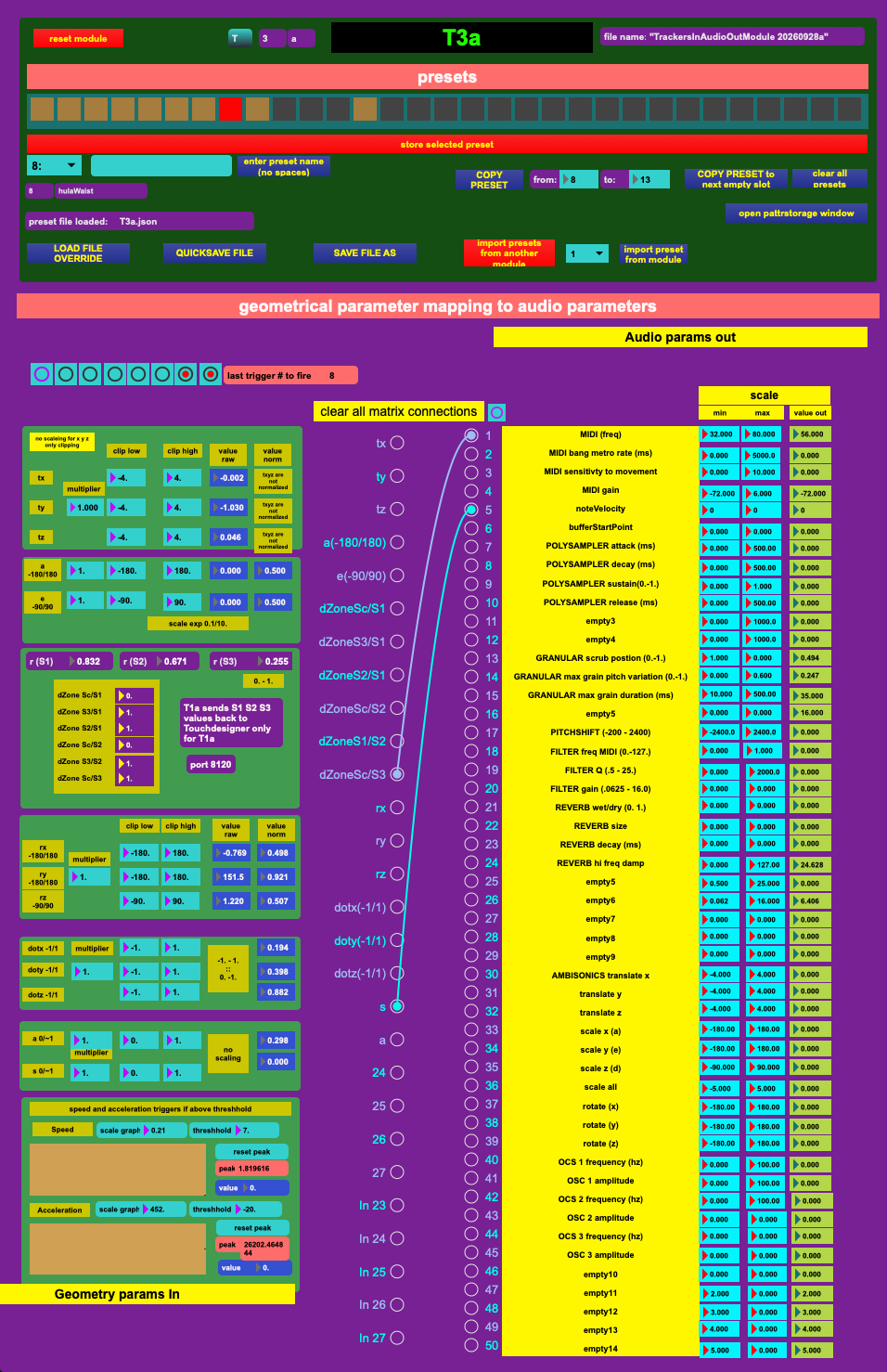
At the top is “presets” which is a section to manage the module’s parameters, naming and saving the module’s parameters. Every module has a preset section=
On the left side of the “geometric parameter mapping to audio parameters” are all of the parameters derived from the interaction of a trackers active point with the sphere.
1 Global position (xyz) values can be scaled with a multiplier and clipped, defining active (and inactive) Cartesian volumetric sections.
2 Azimuthal (a), elevation (e) and radius (d) values can be scaled and clipped, defining active (and inactive) Polar volumetric sections. -
3 distance (d) values which span all 6 combinations of the 3 different Zones. The Zones are established by selecting the center point and/or the surfaces, defined by the the radius of the Sphere. For instance, Zone 1 may select the center point of the Sphere and then the outside Sphere (S1), This determines that the active zone encompasses the entire sphere. Zone 2 may select the radius of Sphere 2 and the radius of Sphere 3 as the limits. In this case, the outer “atmosphere layer” is active. Different Zoned d values are able to be mapped to the audio parameters.
4 Tracker’s global rotation values rx, ry, rz. These values are not calibrated to the Sphere.
5 Rotation values reconfigured to the sphere as the dot product of the Tracker’s native axes to the normal of the surface of the Sphere (dotx, doty, dotz). The dot products of the trackers native rotation axes to the normal of the sphere realigns the rotation of points to the Sphere and its surfaces. The effect is as follows: like a drum, slapping the surface may have a different sound than karate chopping the surface or punching the surface.
6 speed (s) and acceleration (acc) values. These may be scaled. And upper and lower limit triggers are also assigned to these limits.
The center matrix interface maps these parameters to the audio parameters “audio params out” on the right side of the mapping interface.
These audio parameters are sent on to control a “polySampler” module comprising a polyphonic sampling synthesizer, a granular synthesizer, a filter, a reverb, a pitchshift and ambisonic parameters for sound movement. Again these values can be scaled and clipped.
the polySampler instrument module
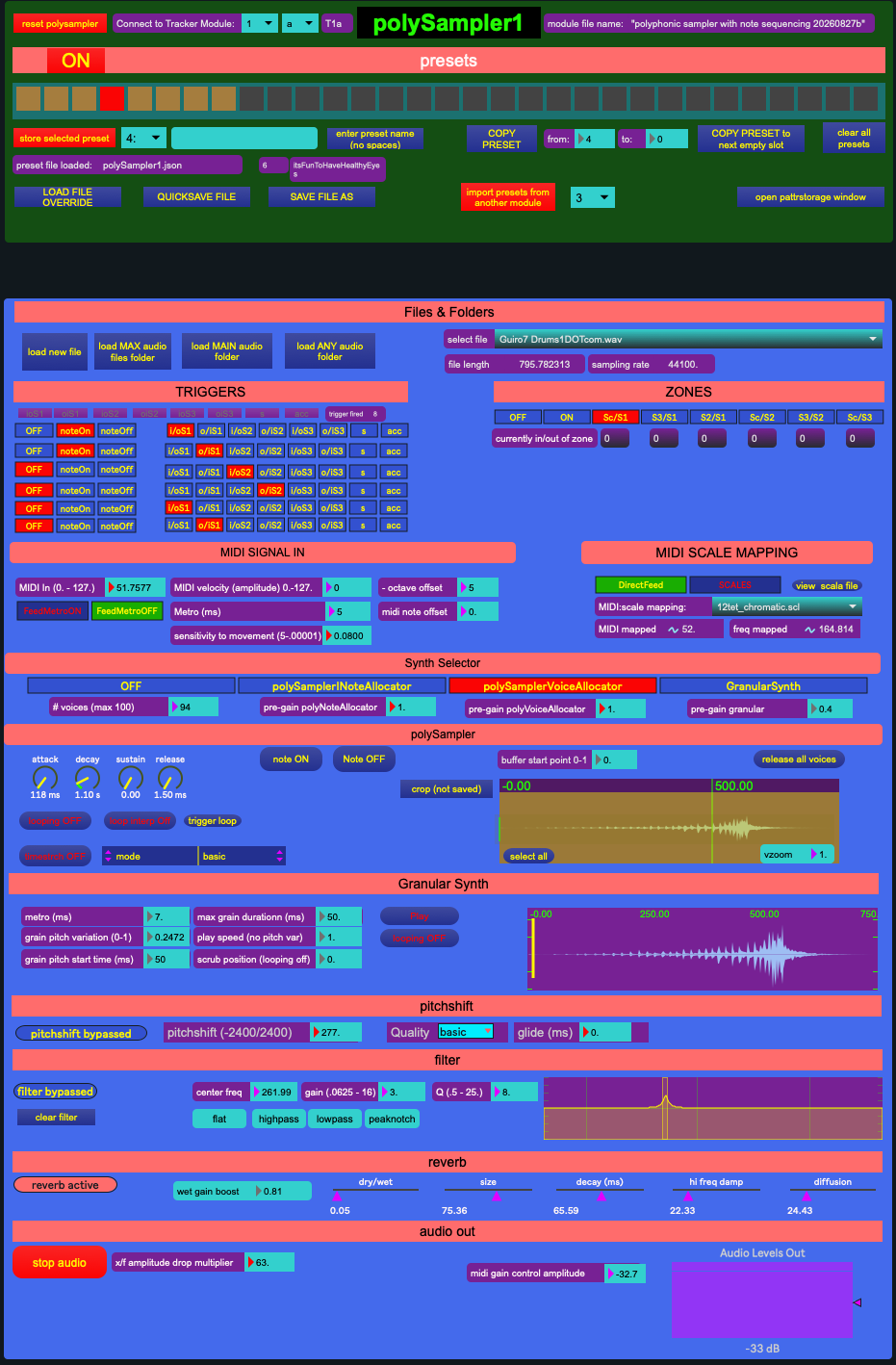
The polySampler module is a sampling synthesizer where the audio samples are loaded and controlled.
If a parameter is mapped to a control parameter in the tracker in audio out mapping module, then that control parameter is overriden by the information from the tracker. Otherwise, all other parameters are set here by the programmer.
Triggers and zones
Surface triggers (S1o/i, S1i/o, S2o/i, S2i/o, S3o/i, S3i/o) = when an active point penetrates any of the surfaces of the 3 Spheres (S1, S2, S3) from the outside of the Sphere (o/i) to to inside and from the inside to the outside (i/o) this returns a trigger. These can all be mapped to note on and note off messages, triggering single voice notes.
Speed(s) and acceleration(acc) - a low and a high threshold is applied to the speed and acceleration parameters of the Point, creating 4 triggers at the minimum and maximum thresholds.
s(min)
s(max)
acc(min)
acc(max)
There can be multiple polysamplers assigned to the same tracker and tracker setting but use different zones or triggers in the sphere to place different sounds.
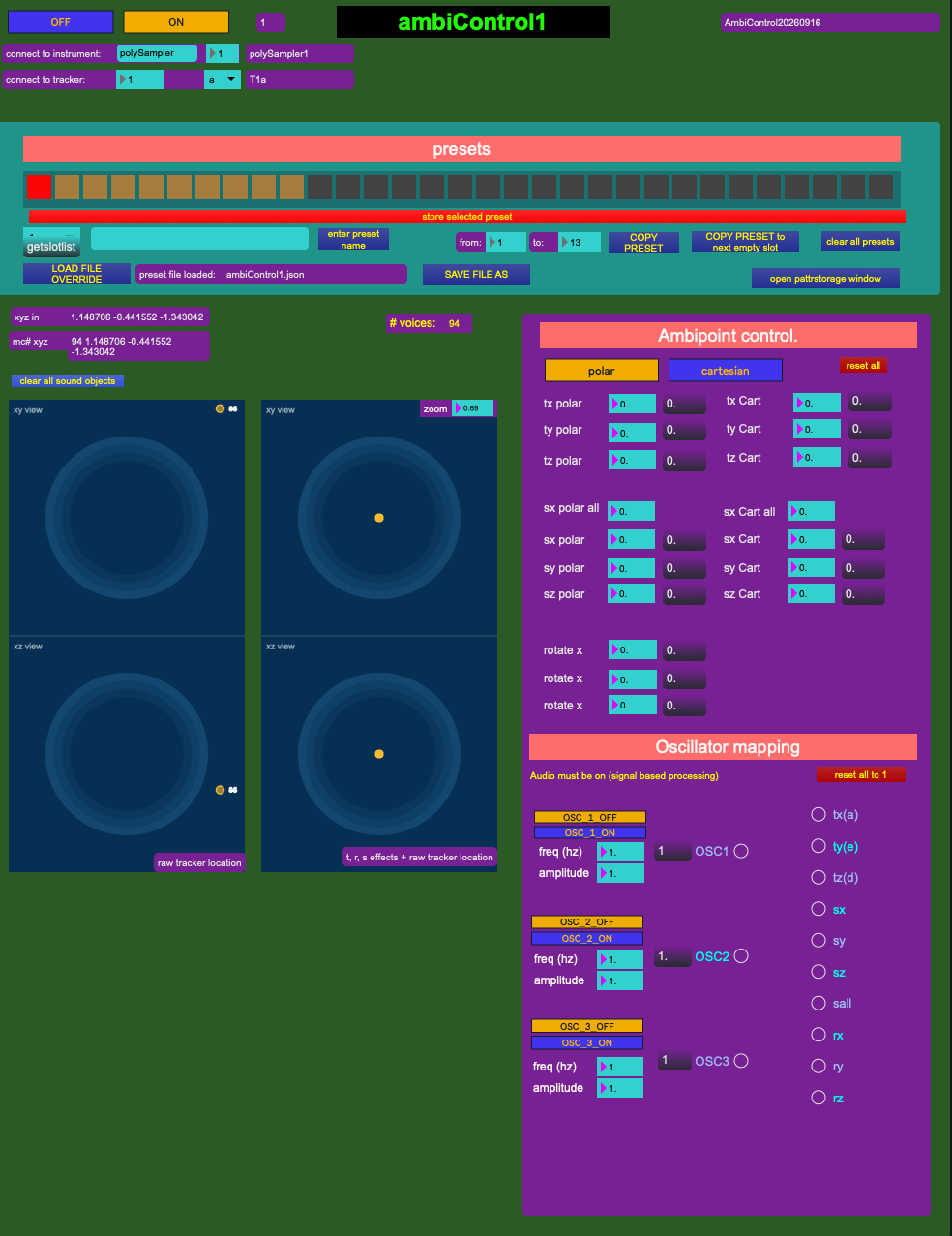
the ambicontrol module